
Do you have a folder that you use often, but it’s way, way down your folder list? Just add a symbol (!, *, $, ~, etc.) to the beginning of the name. Then, when you sort the list alphabetically, it will rise to the top of your folder list.
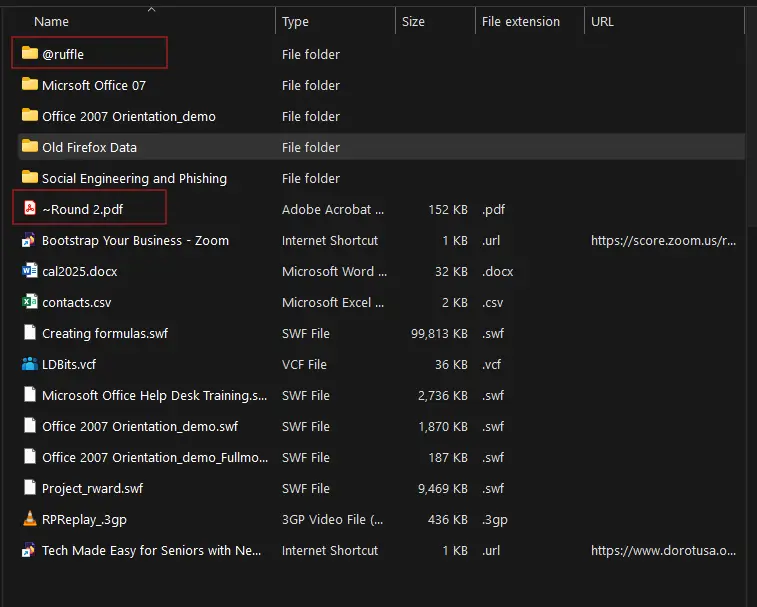
This works on any operating system (Windows, Mac, Android, iOS), and with files as well. Enjoy! 😊